Podcast analytics for discovery: see the people and AI agents who find your show
Downloads tell you how many listened — not how they found you. PodHood's new Access Analytics shows podcast discovery end to end: library visitors, referrers and UTM campaigns, AI referrals from ChatGPT and Perplexity, and the questions AI agents ask your catalog.
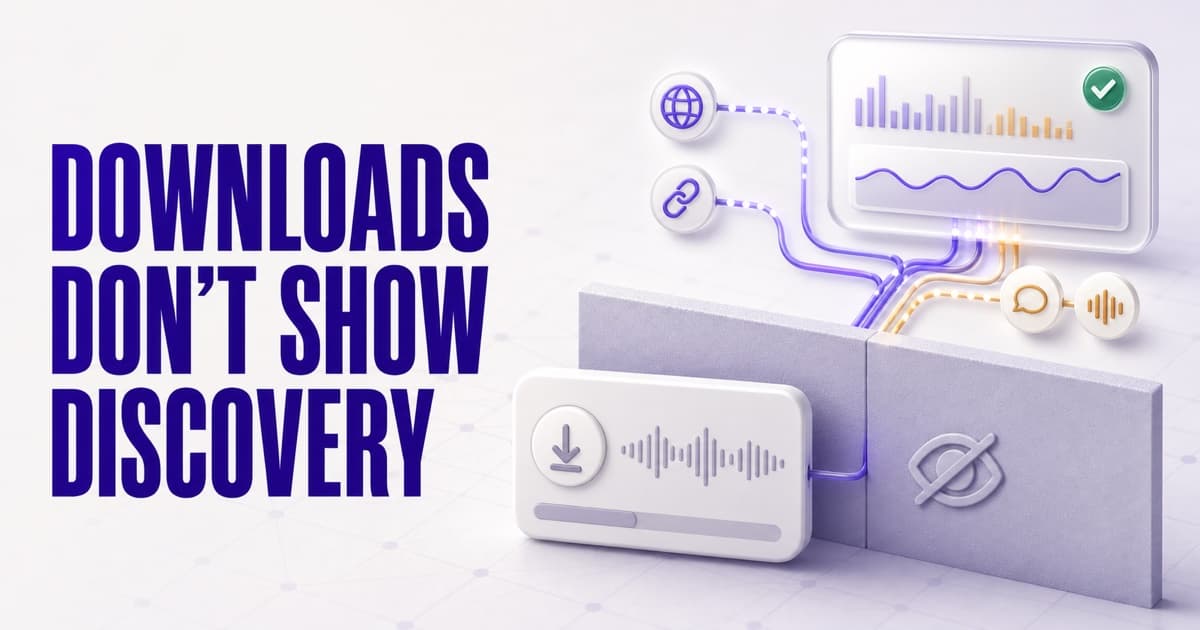
Host dashboards measure consumption — downloads and plays. They can't show discovery: who found your show, which link or AI answer sent them, and what they were looking for. Access Analytics, now live on every PodHood plan, fills that gap with two audiences on one page: People (visits to your public library, with sources at three depths — acquisition channels, referring domains, and UTM parameters, AI referrals badged) and AI agents (MCP retrieval: the queries agents sent verbatim, which clients connected, and tool health). Every metric lands on a surface PodHood publishes for you — so the dashboard doubles as the receipt for its SEO and GEO work. Refreshed hourly, nothing to install.
Every podcaster knows the ritual: publish an episode, then watch the downloads graph. It's the number the industry runs on — and it answers exactly one question: how many listened?
It never answers the question that decides whether your show grows: how did they find you?
That question got harder this year, because discovery itself changed. People still find podcasts through Google, but increasingly they find them through AI answers — ChatGPT, Perplexity, Google's AI results — and AI agents have started retrieving podcast content directly, without a click at all. None of that shows up in a host dashboard.
So we built the missing half. Access Analytics is now live in every PodHood Studio, on every plan — a discovery dashboard for your show, covering both of the audiences that matter now: people and AI agents.
The measurement gap in podcast analytics
Podcast analytics has always measured consumption. Downloads, plays, completion, retention — all of it starts after someone has already found you and pressed play. Useful, but structurally blind to the step before.
The discovery step used to be unmeasurable for a simple reason: audio has no web surface. There was no page to visit, no referrer to read, no search query to see. Your show was found — somehow — and the first evidence you got was a download.
PodHood exists to fix the underlying problem: it publishes every episode as a structured, crawlable, citable page in your public library, and exposes your catalog to AI agents over MCP. Which means the discovery step finally happens on a surface you own — and a surface you own can be measured.
Two audiences, one page
Open Analytics in your Studio and you get one page with two halves, matching the two ways a show gets found today:
People — web analytics for your library. Unique visitors, pageviews, and session quality for your public library, on your subdomain or your own custom domain. Top pages resolve to real episode titles, so you can see which episodes actually pull visitors. Geography and devices show who is arriving and how.
AI agents — MCP analytics for your catalog. Every PodHood channel serves its own MCP endpoint that AI agents can query. This half shows how often it's being called, which agent clients are connecting — Claude, ChatGPT, Perplexity, Gemini — the error rate and latency per tool, and the one thing no web analytics can give you: what the agents asked, verbatim. The same panel also counts the WebMCP in-page tools — agents acting on your pages next to a visitor — so agent traffic reads as one number, wherever the agent stood.
Both halves share the same controls: a 24-hour, 7-day, 30-day, or 90-day window, with every headline number compared against the previous period of equal length. Numbers refresh hourly.
Where did this visit come from? Three answers, three depths
"Where do my listeners come from?" is really three questions, so the Sources card answers it at three granularities:
- Acquisition channels — the classified rollup: Direct, Organic Search, Referral, Paid. The ten-thousand-foot view of your mix.
- Referring domains — the raw answer, domain by domain: google.com, a forum thread, a blog that linked an episode.
- UTM parameters — the self-declared answer: tags on links you shared, split by source, medium, campaign, term, and content.
That last one is the practical workhorse. Podcast promotion is scattered — a newsletter, an X thread, a Discord server, a guest's show notes — and untagged clicks blur into one useless "Direct" number. Tag the links you control:
https://yourshow.com/episode-142?utm_source=newsletter&utm_medium=email&utm_campaign=ep142-launch
…and the next time you wonder whether the newsletter actually moves people, the Sources card answers with a number instead of a feeling.
AI referrals, finally visible
Here's the part we're most excited about, because until recently it was invisible to almost everyone.
When ChatGPT cites a source in an answer, its outbound links carry a self-identifying tag — utm_source=chatgpt.com. Perplexity passes its domain as a referrer. So do Claude, Gemini, Copilot, and the rest. The evidence of AI-driven discovery arrives with every click — if your analytics knows what to look for.
Access Analytics maintains a list of known AI answer engines and puts an AI badge on any referrer or UTM row that matches one. When someone asks ChatGPT a question, gets an answer that cites your episode, and clicks through — that visit lands in your Sources card wearing its badge. It is the first visible proof that being cited by AI is not theoretical: it delivers actual people to your show.
One honest caveat: measured AI traffic is a floor, not a ceiling. Mobile apps and some surfaces drop attribution, so the real number is higher than what any analytics tool can show. But a visible floor beats an invisible everything.
What agents asked: audience research you didn't have to run
The People half tells you how humans found you. The Agents half tells you something arguably more valuable: what questions your catalog is being asked.
When an AI agent queries your channel's MCP endpoint, Access Analytics records the search query verbatim. Read that list and you're looking at demand — phrased in the asker's own words, before it ever becomes a visit or a download. It's the podcast equivalent of seeing the search queries that led to your site, except nobody else has this data about your show, because nobody else serves your catalog to agents.
If a question keeps appearing and you have an episode that answers it — that's a moment worth clipping and promoting. If it keeps appearing and you don't have an episode — that's next week's recording, requested directly by the market. Pair it with what your comments are asking for and your content calendar starts writing itself from evidence.
A weekly loop you can actually run
Analytics only matters if it changes what you do. Here's the loop we'd suggest, fifteen minutes a week:
- Open the 7-day view and read the deltas. Visitors up or down against last week? Tool calls up or down? Trends, not absolutes.
- Check Top pages. Which episodes pull visitors? If an old episode is quietly climbing, search engines or AI answers found something in it — consider a follow-up episode or a clip.
- Scan Sources for AI badges. Citations clicking through mean your structured pages are working; more indexed episodes mean more citable moments.
- Read what agents asked. Anything you can answer with an existing moment? Anything you should record?
- Tag next week's promotion links so next week's read is sharper than this week's.
Every number is the receipt for work already done
Here's the frame that makes the dashboard worth checking: almost everything on it lands on a surface PodHood built for you. Each metric maps back to a layer of the product:
- Organic Search sessions and search-engine referrals land on episode pages that didn't exist before PodHood published them. Before those pages, your episodes had no way to rank — that's podcast SEO paying off, visit by visit.
- AI-badged referrer and UTM rows are click-throughs from answers that cited your structured pages. That's GEO — generative engine optimization paying off: an answer engine read your episode's structure, quoted it, and delivered you a reader.
- MCP tool calls and agent queries exist only because your catalog serves an endpoint agents can query. No endpoint, no retrieval — this column measures a channel most shows simply don't have.
Which is why a flat number is information too: it tells you which layer to work on next — index more of the back catalog, tag your promotion links, share your Connect AI setup.
Included in every plan, because it's the proof
Access Analytics is live now, on every plan — including Free. No tracking script, no pixel, no configuration: PodHood serves your library and your MCP endpoint, so the measurement ships built in. Your team's Studio activity never counts toward audience numbers, and your library visitors are counted on every host you serve, custom domain included.
We put it on every plan deliberately. PodHood's promise is that structured, published episodes get found — by people and by AI. Analytics is where that promise becomes checkable — the receipt, in numbers, for the SEO and GEO work the product does. We'd rather you see it.
Connect your show, index a few episodes, and watch who finds them: how PodHood works · podcast analytics in depth · the docs.
Frequently asked questions
- What is podcast discovery analytics?
- Measurement of how a show gets found, as opposed to how much it gets consumed. Host dashboards count downloads and plays; discovery analytics shows the step before that — visits to your episode pages, the links, searches, and AI answers that sent them, and the queries AI agents run against your catalog.
- Does PodHood track my downloads or listens?
- No. Downloads and plays stay with your podcast host — that's consumption. PodHood measures discovery: visitors and pageviews on your public library, where each visit came from, and AI agent retrieval over MCP. Read both together to see the funnel end to end.
- How can I see traffic coming from ChatGPT or Perplexity?
- Two signals identify it: the browser-reported referrer, and UTM parameters that some AI engines append themselves — ChatGPT tags its outbound links with utm_source=chatgpt.com. PodHood reads both and puts an AI badge on any source row that matches a known AI answer engine, so citation click-throughs are visible at a glance.
- How do I know if my podcast SEO and GEO efforts are working?
- Watch where the outcomes land. Organic Search sessions mean your episode pages are ranking; an AI-badged referrer row means an answer engine cited your pages and someone clicked through; MCP calls and agent queries mean AI agents are retrieving your catalog directly. In PodHood each of those maps to a surface the product publishes for you, so a moving number tells you exactly which layer is paying off.
- Do I need to install a tracking script or pixel?
- No. PodHood serves your library — on your subdomain or custom domain — so measurement is built into the pages themselves, and MCP activity is recorded server-side. There is nothing to add to your own website, and your team's Studio activity never counts toward audience numbers.
- Which PodHood plans include Access Analytics?
- All of them, including Free. The numbers are the product's proof of work, so there is no capability lock: connect a channel and the page starts filling in on its own, refreshed hourly.
Founder of PodHood. Writes about how podcasts and YouTube channels get found on Google and in AI answers — and turn that discovery into an audience they own.
Keep reading
- Does your podcast need its own website? Why one platform isn't enough
- WebMCP for podcasts and YouTube channels: now agent-ready