How to build a podcast email list (and why platform subscribers aren't yours)
Platform subscribers are a rented audience. How to build a podcast email list: the standard playbook, step by step — and how PodHood automates the whole loop.
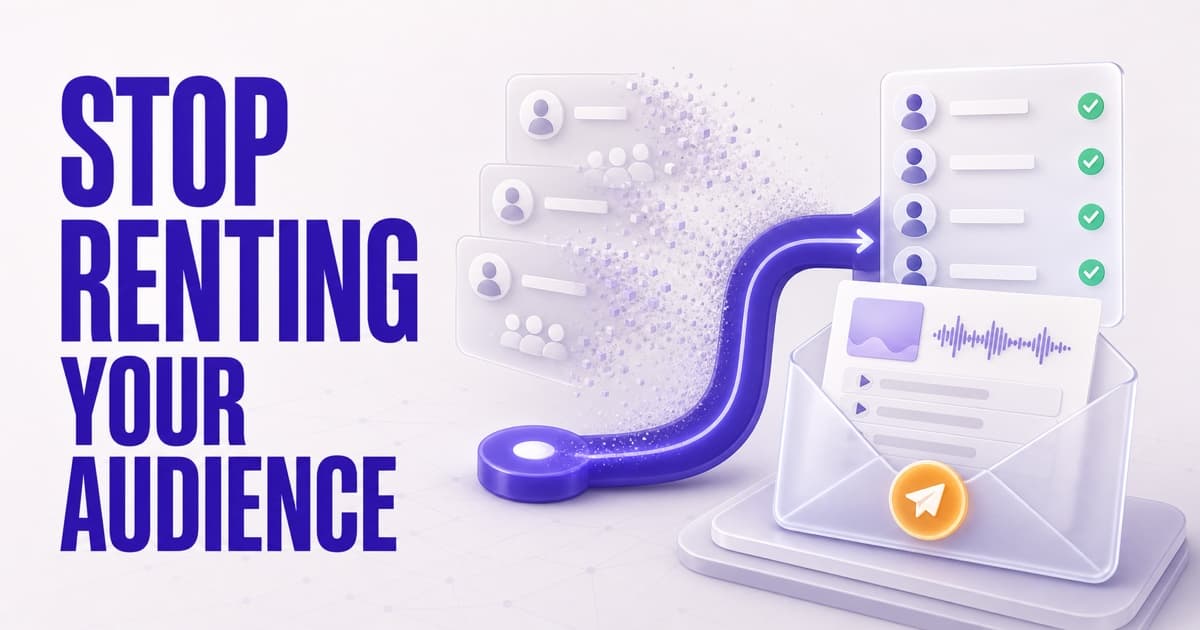
Platform subscriber counts are rented reach: the algorithm shows each new episode to a slice of your subscribers, and the platform never tells you who they are. An email list is the owned alternative — real addresses, a send to every subscriber on every release, and a relationship no algorithm change can reset. The standard way to build one takes six steps — signup incentive, landing page and forms, RSS-to-email automation, a welcome email, a sustainable cadence, list-health monitoring — and that workload is why most shows never start. PodHood removes the recipe: every Library ships with Subscribe built in, the roster (names, emails, dates, status) lives in your Studio, and each newly published episode automatically emails subscribers its brief — summary, chapters, and key moments deep-linked to the second, sent under your show's name with every link on your own domain. On every plan, including Free.
Picture a show with 100,000 subscribers publishing a new episode. The platform decides which slice of those subscribers ever sees it in a feed. The creator can't message the rest, can't export the list, and — after years of building that number — doesn't know a single subscriber's name.
That's not an audience. That's rented reach: the platform owns the relationship and leases you access to it, one algorithmic decision at a time.
The fix has been known for as long as creators have been burned by reach changes: build an email list. This post covers what audience ownership actually means, the standard playbook for building a podcast email list step by step, why that playbook stalls for most shows — and how PodHood collapses the whole thing into one built-in loop.
What does it mean to own your podcast audience?
Owning your audience means holding the relationship directly: you know who they are, you can reach them yourself, and nobody sits between you and them. In practice, that means addresses — because email is the one mainstream channel where the audience gives you the contact, not a platform.
The contrast with platform subscriptions is stark on every axis that matters:
| Platform subscribers | Your email list | |
|---|---|---|
| Who you reach per release | The algorithm's chosen slice | Every subscriber, every time |
| Who they are | Hidden from you | Name and address, visible |
| Survives a policy/reach change | No | Yes |
| Survives moving platforms | No | Yes |
None of this makes platform subscribers worthless — they're where discovery happens. It makes them the top of the funnel, not the asset. The asset is whatever part of that audience you convert into a direct relationship — which is also why your podcast needs its own website, not just platform pages.
Why an email list beats platform reach
The math is lopsided. MailerLite's 2025 benchmarks, across more than 3 million campaigns, put the global average email open rate at 42.35% (MailerLite). Socialinsider's benchmarks for the same period put average organic reach for a Facebook page post at roughly 1.65% of followers (Socialinsider). An email list a tenth the size of your subscriber count can out-reach it on release day — and unlike a feed impression, an email waits in the inbox until it's dealt with.
There's a second-order effect, too: a new-episode email arrives the moment the episode is fresh, when a listen, a share, or a comment counts most. You're no longer hoping the algorithm surfaces the episode this week — the people who explicitly asked to hear from you already have it.
How to build a podcast email list: the standard playbook
If you're building the list yourself, these are the six steps behind every guide to podcast email marketing — and they're all real work:
- Give listeners a reason to sign up. "New episodes in your inbox" is the core promise; most guides add a lead magnet on top — a resource list, a bonus episode, episode notes — to convert people who aren't ready to commit to a show yet.
- Put a signup form where listeners already are. A landing page for the link-in-bio, a form embedded on your website, the link in every episode description — and a spoken call-to-action on air, because listeners can't click audio.
- Wire publishing to sending. Connect your podcast host's RSS feed to an email tool — Mailchimp, Kit, MailerLite — so a new episode triggers a template filled with the title and show notes. This is the step podcast hosts' own "podcast to email" docs describe: the automation lives in a third-party tool, and you maintain it.
- Send a welcome email. Confirm what subscribers signed up for, set the cadence expectation, and link two or three starter episodes so the first impression isn't silence until the next release.
- Keep a cadence you can sustain. The episode announcement is the baseline; a digest or newsletter is optional on top. The failure mode is silence for months followed by a blast — that's what drives unsubscribes and spam reports.
- Watch list health. Open rate, click-through, unsubscribes, and growth by source; prune addresses that bounce. Bulk-sender rules at Gmail and Yahoo now expect one-click unsubscribe and low spam rates, so hygiene isn't optional.
Each step is reasonable. The sum is a content-marketing operation bolted onto a podcast — and for most shows it loses the priority fight against the next episode, forever. The list stays at zero not because podcasters don't want one, but because the setup cost lands exactly where creators have the least slack. (If your show lives on YouTube, the same wall exists there — with the added twist that YouTube never shares subscriber emails at all.)
How PodHood builds the list without the stack
PodHood already gives every show a public, searchable library — real pages for every episode, on your subdomain or custom domain. The email list is built into that surface, and steps 2 through 6 above disappear:
- Subscribe is one click. Every visitor sees it. Clicking signs them in with Google or a one-time email code — so every follow is a verified, reachable address, not an anonymous counter.
- The roster is yours to see. Studio → Subscribers shows each follower's name, email address, subscribe date, and whether they're receiving email — plus how many subscribers the next send reaches.
- The automation, template, and hygiene are built in. No landing page, no form embed, no RSS-to-email wiring, and one-click unsubscribe ships in every send. The subscriber loop is part of the Library.
What subscribers actually receive
Most new-episode emails are a title and a play button, because that's all an RSS feed gives the automation to work with. PodHood sends something different, and it can only do so because of what happens at indexing: every episode is already decomposed into a structured brief — the same structure that powers your episode pages and AI citations.
So the email is the brief: grounded summary, the chapter map, and typed key moments — Insight, Quote, Q&A, Prediction, Debate, Story — each deep-linked to its exact second in your library reader. Sent under your show's name, in your show's language, with every link on your own domain. A subscriber who has thirty seconds gets real value from the email itself; a subscriber who has an hour is one click from the exact moment that hooked them.
The guardrails that keep it welcome
An owned list is only an asset while inboxes trust it, so the send is deliberately conservative:
- Connecting a back catalog emails no one. Only newly published episodes inside a short freshness window notify — importing years of archive stays silent.
- At-most-once, ever. Each episode carries a send guard; re-indexing, edits, and retries can never email your list twice.
- One-click unsubscribe (RFC 8058) in every send, plus a footer link — and muting email keeps the follow, so an overloaded inbox doesn't cost you the relationship.
- Verified addresses only, sent on PodHood's infrastructure with your show's name fronting the message. You never touch deliverability.
The full mechanics are in the subscribers docs.
The discovery loop, closed
Here's where it compounds. Everything PodHood does to get your show found — episode pages that rank, answers that cite you, search that hits the exact moment — lands visitors on your library. Before, a visit like that evaporated: read, listened, gone.
With Subscribe on the page, every one of those visits is a chance to convert discovery into a relationship you keep. The blog post that ranks next year, the ChatGPT answer that cites episode 142, the search that surfaces an old moment — each keeps feeding a list that hears about every future episode directly. Your promotion stops evaporating between episodes.
Your part: fifteen minutes a week
- Point promotion links at your library, not a platform app. You can't convert anyone to your list on Spotify's turf; on your library, Subscribe is one click away. Tag the links you share so Access Analytics shows which ones convert.
- Say the domain on air. "Everything's at yourshow.com — subscribe there and every episode lands in your inbox with chapters and key moments" is a stronger call-to-action than "like and subscribe," because it offers something the platform doesn't.
- Watch two numbers weekly. Studio → Subscribers for list growth; Analytics for which sources drive it. Growth concentrated in one referrer tells you where to double down.
- Let the send do the rest. There's no newsletter to write. Publish episodes; the list hears about each one automatically.
Included in every plan
The subscriber loop — Subscribe on the Library, the Studio roster, the automatic new-episode email — is live on every PodHood plan, including Free. Turning visitors into an audience you own is what a library is for, so none of it is gated.
Connect your show and let the list build itself: how PodHood works · podcast email list in depth · the docs.
Frequently asked questions
- What is a podcast email list?
- A list of listeners' real email addresses that you hold directly, with their permission to contact them — as opposed to platform subscribers, whose identities the platform keeps and whose reach an algorithm decides. It's the difference between an audience you own and an audience you rent.
- Why is an email list better than YouTube or Spotify subscribers?
- Reach and ownership. An email goes out to every subscriber on every release, while a platform shows a new upload to whatever slice of your subscribers the algorithm picks. And the relationship is durable: you can see who your subscribers are, and no reach, policy, or ranking change can take the connection away.
- How often should you email podcast subscribers?
- At minimum, every time a new episode publishes — that's the email they signed up for, and it matters most in the first days when a listen or share counts most. Anything beyond that should be a cadence you can sustain; a list that hears nothing for months and then gets a blast unsubscribes. On PodHood the new-episode email is automatic, so the baseline cadence keeps itself.
- Do I need Mailchimp or ConvertKit to email my podcast subscribers?
- Not on PodHood. The traditional route wires your RSS feed into an email tool and leaves you maintaining a template and an automation. On PodHood the Subscribe button, subscriber roster, email template, and sending infrastructure ship with your Library — the new-episode email works the day you connect your channel.
- What does PodHood's new-episode email contain?
- The episode's brief, not a bare notification: title, thumbnail, grounded summary, and the chapter map with typed key moments — Insight, Quote, Q&A, Prediction, Debate, Story — each deep-linked to its exact second in your library reader, plus Listen now and Visit channel buttons. It's sent under your show's name, in your show's language, with links on your own domain.
- Will connecting my back catalog send a giant email blast?
- No. Only newly published episodes inside a short freshness window trigger the email, so importing years of archive emails no one. Every episode also carries an at-most-once guard — re-indexing, edits, and retries can never re-send it — and every send includes one-click unsubscribe (RFC 8058).
- Which PodHood plans include the email list?
- All of them, including Free. Subscribe on the Library, the Studio roster, and the automatic new-episode email are part of every plan — turning visitors into an owned audience is core product, not an upsell.
Founder of PodHood. Writes about how podcasts and YouTube channels get found on Google and in AI answers — and turn that discovery into an audience they own.
Keep reading
- Does your podcast need its own website? Why one platform isn't enough
- WebMCP for podcasts and YouTube channels: now agent-ready