Podcast SEO: why your episodes are invisible to Google (and how to fix it)
Search engines can't index an audio file, so a podcast that lives only as an MP3 is invisible to Google. Here's why — and the episode-page playbook that fixes it in 2026.
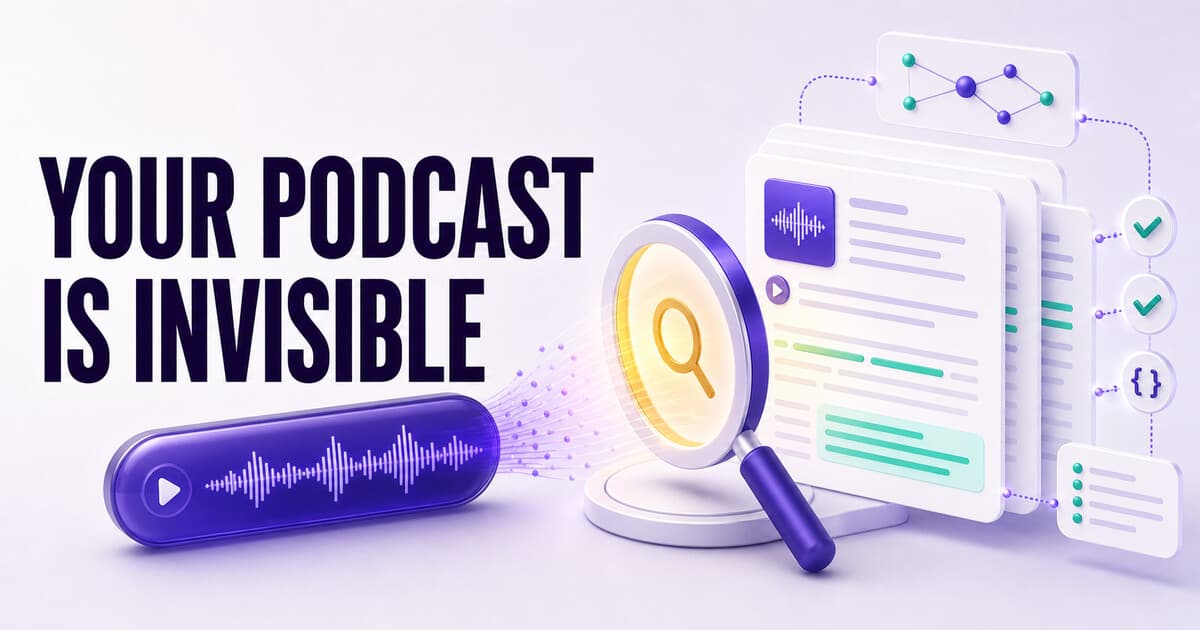
Google can't listen to audio, so an episode that exists only as an MP3 has nothing for a crawler to index. To rank, every episode needs its own server-rendered page with a full transcript, structured data (schema), chapters, and internal links — plus a title built from a query listeners actually search, not just a clever phrase. That single format change turns each episode into a long-tail traffic asset, and it's the exact page PodHood builds for you automatically, from a podcast RSS feed or a YouTube channel alike.
Here's an uncomfortable fact: the single most valuable thing you make — a long, expertise-packed conversation — is the thing search engines understand least. Google can't listen to your episode. Neither can Perplexity, ChatGPT, or the AI Overview sitting above the search results. To all of them, an audio file is an opaque blob. And you can't rank what you can't read.
If your podcast lives only as an MP3 in Apple and Spotify, it is effectively invisible to the systems that now decide what gets found. This post explains exactly why — and the full episode-page playbook that fixes it: the pages, the titles, the show notes, the mistakes, and how to tell it's working.
Why can't Google rank my podcast?
Because there's nothing on the page to index. Search engines rank text on URLs. An embedded player with a two-sentence description gives a crawler almost nothing to work with, so your episode loses the ranking to a thin 600-word article that merely mentions the same topic — because the article is text, and text is what gets indexed.
This is the core problem, and it's mechanical, not creative: the content is already brilliant; it's just trapped in a format machines can't parse.
What "podcast SEO" actually means in 2026
Podcast SEO is not stuffing keywords into an episode title. As the practitioners now frame it, it's turning your podcast website into a system of indexable episode pages that search engines and AI tools can understand, rank, and reference (Lower Street, NeuronWriter).
That means one real page per episode — and before the page, one decision per episode. (No site of your own yet? Start with why your podcast needs its own website.)
Pick the query before the title
Every guide converges on the same discipline: treat each episode like a standalone article and choose one search phrase your ideal listener would actually type. Then let that phrase shape the episode title, the page's H1, and the opening of the description.
The tension is real: great episode titles are often clever, and clever doesn't rank. "The Moat Nobody Sees" is a better spoken hook than "Why owning your audience beats platform reach" — but only one of them matches a search. You don't have to abandon the craft; the working pattern is hook + query: "The Moat Nobody Sees — why owning your audience beats platform reach." The query half also belongs in your directory metadata, since Apple's and Spotify's own search reads titles and descriptions too.
The episode page: your real ranking asset
1. A full transcript
This is the biggest lever by far. A transcript turns an hour of speech into thousands of words of crawlable text. A single well-transcribed episode of ~5,000 words can rank for hundreds of long-tail keywords it happens to mention (SONE). No transcript, no body — and no rankings.
One caveat the tools rarely mention: the transcript must be on the page as real text. A PDF attachment, a collapsed tab that loads on click, or a third-party embed can all hide it from crawlers as effectively as the audio did.
2. Structure: chapters and headings
A wall of transcript text ranks, but a structured page ranks better and gets cited more. Chapters, headings, a grounded summary, and typed key moments tell a crawler what the episode is about and where — the difference between a recording and a document. Structure is also what earns the deep links: a chapter with a stable timestamped URL can be the search result, landing the visitor on the exact moment instead of the top of an hour.
3. Structured data (schema)
Mark each page up with JSON-LD — PodcastEpisode plus Article-style fields, and ideally the disambiguated people and topics discussed. Schema is machine-readable structure: it's how Google renders richer results, and structured pages are consistently what answer engines quote when they need a source they can attribute.
4. Internal links
Link episodes to each other, to topic hubs, and to relevant pages on your site — practitioner guidance suggests two or three related episodes from every set of show notes. Internal linking is how crawlers discover your whole catalog, and hub pages (every episode about a topic, person, or company in one place) are how scattered mentions consolidate into topical authority.
Put those four together and each episode ranks for the specific, long-tail questions it actually answers — the questions your audience already types into Google that your audio could never reach.
Show notes, rebuilt for search
Show notes aren't obsolete once you have transcripts — they're the page's front door, and most shows write them backwards. The pattern the guides now recommend:
- Open with the takeaway, in two or three sentences: what the episode answers and for whom. This is the snippet Google is most likely to show, and the first thing a skimming visitor reads.
- Follow with a timestamped outline — the chapter list, doubling as navigation and as structure a crawler can parse.
- Close with the links: the two or three related episodes, the guest's references, your subscribe path.
What show notes should not be: a paragraph of "in this episode we chat about all sorts of things" — the description equivalent of a clever title, warm to humans and empty to search.
Don't forget the directories — or YouTube
Two adjacent surfaces are worth a deliberate pass:
Directory search. Apple Podcasts and Spotify have their own search engines, and they read your show description and episode titles. The same query-first titles that work on Google work there; keep the show description keyword-honest rather than purely brand-poetic.
YouTube. It's the second-largest search engine, and 31% of podcast listeners discover new shows there (Descript). Publishing episodes to YouTube with keyword-optimized titles, descriptions, and chapters is a parallel discovery surface — and if YouTube is already your primary home, the same invisible-content problem applies there with extra force: a watch page ranks for its title, not the conversation inside. We wrote the YouTube-specific version of this playbook separately. Either way, PodHood ingests a YouTube channel or an RSS feed directly — same pages, same structure, either source.
Common mistakes to avoid
- Clever-only episode titles. The hook belongs in the title — next to the query, not instead of it.
- Player-only episode pages. An embed and two sentences is a page Google has no reason to rank.
- Transcripts that crawlers can't see. PDFs, click-to-expand tabs that fetch on demand, third-party transcript widgets — real text, on the page, or it doesn't count.
- Splitting your catalog across hosts. A few episodes on Medium, some on a site builder, the rest nowhere: nothing compounds. One domain, one sitemap, real internal links.
- Quitting at week three. Fresh pages take weeks to crawl and months to rank. The asset compounds precisely because most shows never give it the chance to.
How to tell it's working
Two dashboards, one loop. Google Search Console (add your library's host, submit the sitemap) shows which queries surface your episode pages, impressions, and click-throughs — the direct verdict on the playbook. Access Analytics shows the other side: Organic Search sessions landing on your library, which episodes pull visitors, and — because the same structure feeds answer engines — AI-badged referrals when a citation clicks through. An old episode quietly climbing is a signal worth acting on: a follow-up episode, a clip, an internal link from newer pages.
Audio can't be crawled. This can.
The fix isn't more marketing effort; it's a format change you make once. You already made the content. The work is turning each episode into a page a search engine can read: transcript, structure, schema, internal links, and a stable URL — with a title that matches a real query.
That's the first thing PodHood does with a channel: every episode becomes a server-rendered page built to be crawled — see Podcast SEO on PodHood. And because the same structure that ranks on Google is what answer engines quote, you get the next chapter for free: getting cited by ChatGPT and Perplexity.
Frequently asked questions
- Why isn't my podcast visible on Google?
- Almost always for the same reason: the episodes exist only as audio. Google can't listen to an MP3, so unless each episode has its own crawlable, text-rich page — transcript, structured description, schema — there is literally nothing for the search engine to rank. Directory listings alone surface only branded searches for the show's name.
- Can a podcast rank on Google without a website?
- Barely. Directory listings (Apple, Spotify) and a YouTube upload can surface for branded searches, but to rank for the topics an episode actually covers you need a crawlable, text-rich page you own — with a transcript, schema, and internal links. Google ranks pages, and an audio file isn't one.
- Do podcast transcripts actually help SEO?
- Yes — they're the single biggest lever. A transcript turns an hour of speech into thousands of words of indexable text, letting one episode rank for hundreds of long-tail queries it mentions. Without a transcript, there's almost nothing on the page for a search engine to read.
- How much text does an episode page need?
- Practitioner guides suggest at least 800–1,000 words of indexable content per episode beyond the player ([The Spearpoint](https://www.thespearpoint.com/blog/seo-for-podcasts)) — a bar a structured transcript clears effortlessly, since an hour of conversation runs 5,000+ words. The point isn't padding; it's that a two-paragraph show-notes page gives Google nothing to rank.
- Do I still need show notes if I publish transcripts?
- Yes — they do different jobs. The transcript is the body that ranks for long-tail queries; show notes are the answer-first opening that tells a skimming human (and a snippet-hungry crawler) what the episode delivers. Lead with the takeaway in two or three sentences, then a timestamped outline.
- What schema should a podcast episode page use?
- Use PodcastEpisode (and its parent PodcastSeries) plus Article/BlogPosting-style fields, marked up as JSON-LD: name, description, the transcript, datePublished, and the associated media. Structured, schema-rich pages are also what answer engines quote.
- How long does podcast SEO take to work?
- Like all SEO, months, not days — but the compounding is the point. Each episode page keeps earning long-tail traffic indefinitely, so a back catalog of indexed episodes becomes a durable discovery engine rather than a one-week release spike.
Founder of PodHood. Writes about how podcasts and YouTube channels get found on Google and in AI answers — and turn that discovery into an audience they own.
Keep reading
- Does your podcast need its own website? Why one platform isn't enough
- WebMCP for podcasts and YouTube channels: now agent-ready