How to make your YouTube channel searchable on Google
A watch page ranks for its title — not the hour of conversation inside. How to make your YouTube channel searchable and visible in Google search: the half YouTube SEO misses.
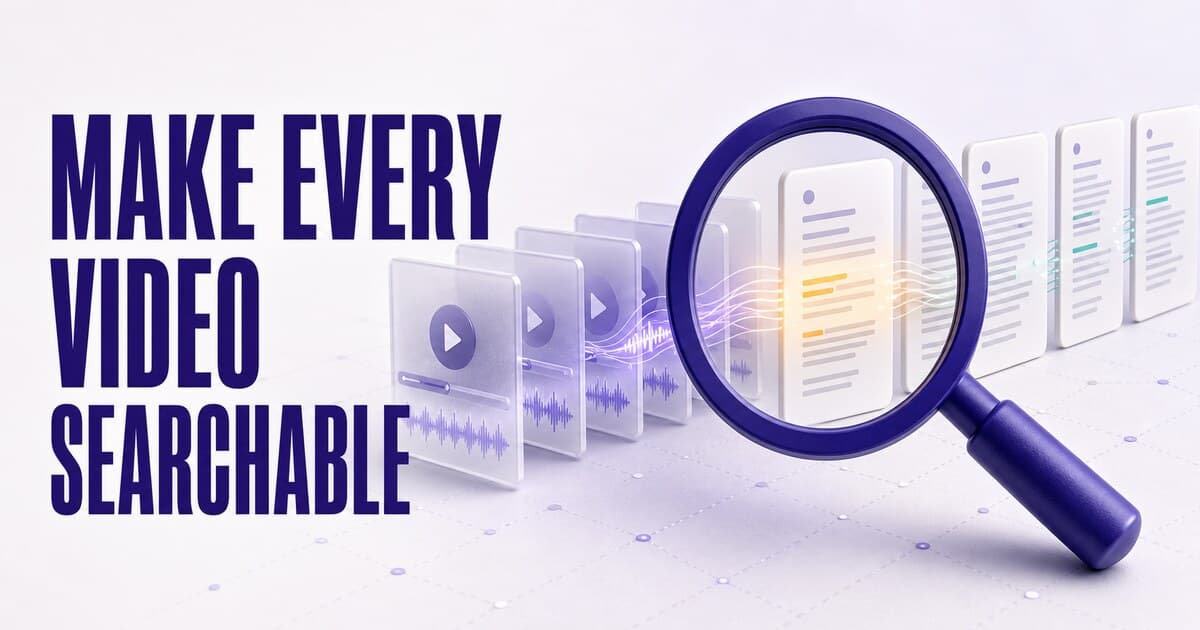
Google's index of a YouTube video is essentially its metadata — title, description, chapters — so a watch page can rank for its own name but not for the hundreds of specific questions the conversation answers. YouTube SEO tools (titles, tags, thumbnails) optimize ranking inside YouTube and can't fix this: the missing ingredient is crawlable text. Making a channel searchable on Google means publishing each video's conversation as a structured page — transcript, chapters, key moments, schema markup — on a domain you own, listed in a sitemap. PodHood builds exactly that from one read-only connection, checks the channel hourly, and gives your own audience the same power: hybrid search across every word of the channel, jumping to the exact second.
Run this test: take the sharpest question a specific video on your channel answers — not the video's title, the actual question — and search it on Google. Count how far down your video appears. For most talk channels the honest answer is: it doesn't.
That's not because the answer is weak. It's because, as far as Google can read, the answer isn't there. This post is about the missing half of YouTube discoverability: making the content of a channel searchable — on Google, and for your own audience.
The three ways a video can appear on Google
Before the fix, the honest map. There are exactly three routes by which what you said in a video can surface in a Google search:
- The watch page itself. Google indexes YouTube pages and shows them in video carousels and results — and if your video has chapters, it can even surface "key moments" that jump into the timeline. This route is real, and worth feeding with good titles, descriptions, and chapters. Its ceiling is just as real: the watch page competes on its metadata, so it surfaces for searches that resemble the title — not for the hundreds of specific questions answered inside the video.
- Someone else's page about your video. A blog that quotes you, a Reddit thread that summarizes the episode. Google ranks their text; they get the visit and the authority.
- Your own text pages built from the conversation. The route this post is about — the only one where the substance ranks and the ranking accrues to you.
Most YouTube SEO advice optimizes route one and stops. Routes one and three aren't rivals — they're different queries. The goal is holding both.
What Google actually sees in a video
Google's index of a YouTube video is essentially its metadata: title, description, upload date, chapter markers. The conversation — the ten thousand words that are the reason the video exists — is not text Google ranks. Auto-captions don't change this: they're a playback aid inside the player, not a crawlable document with structure and stable URLs.
The consequence shows up everywhere: a channel can own a topic for years and still lose every specific-question search to a thin blog post, because the post is crawlable text and the video is a black box with a caption on it. (The audio-feed version of this problem is identical — podcasts and YouTube channels are both invisible-content businesses.)
Why YouTube SEO can't fix it
YouTube SEO — the VidIQ and TubeBuddy discipline — optimizes ranking inside YouTube: titles, tags, thumbnails, retention. Keep doing it; it decides how the algorithm treats your next upload, and it feeds route one above.
But it operates entirely on metadata, and metadata is all Google gets too. However well-tuned the packaging, the substance stays unreadable. The missing ingredient isn't better optimization of the same fields — it's a text surface that doesn't exist yet: a real page per video, carrying what was said.
The DIY route: transcripts into articles
There is a manual version of the fix, and guides increasingly recommend it: pull each video's transcript, clean it up, restructure it into an article with headings, and publish it on your blog. It genuinely works — the conversation finally exists as crawlable text.
Count the cost per video, though: transcript cleanup, structural editing, headline and heading writing, entity and link work, publishing. Hours per episode, forever, multiplied by a back catalog — which is why channels that start this usually stop within a month, leaving three polished articles and two hundred invisible videos. The DIY route proves the mechanism; it just doesn't scale to a catalog. The rest of this post is the scaled version.
What a searchable channel looks like
For each video, a server-rendered page on a domain you own:
- The transcript, structured — not dumped: a grounded summary up top, chapters with timestamps, typed key moments. A wall of raw transcript technically ranks; a structured document ranks and gets cited.
- Schema.org markup — the episode, deep-linkable clips per moment, the people and topics in it — so crawlers get structure explicitly.
- Stable URLs to the second, so a search result (or a citation) lands on the exact moment, not the top of an hour.
- A sitemap and hub pages connecting every video by topic, person, and company — the internal linking that gets long-tail pages discovered and concentrates topical authority.
To make "long-tail" concrete: one hour-long interview about building a media business can end up eligible for queries like "how do independent creators own their audience", "leaving substack for a self-hosted newsletter", "what makes distribution a moat", "[guest name] audience strategy" — none of which any title could carry, all of which the conversation actually answered.
Watch page vs. episode page
| YouTube watch page | Your episode page | |
|---|---|---|
| What Google reads | Title, description, chapters | The full structured conversation |
| Ranks for | Title-shaped searches | Every question the episode answers |
| Authority accrues to | youtube.com | Your domain |
| Deep links | Timestamps within the player | A stable URL per chapter and moment |
| Also feeds | YouTube's recommendation system | AI answer engines and your own search |
And the same structure is what AI answer engines cite, so one conversion serves both futures.
Your audience gets the search too
"Searchable on Google" is half the win. The other half is on your own library: the whole channel becomes a search engine over everything said — hybrid semantic + keyword search that takes "the episode where she explained the moat" and returns the moment at 18:42, one click from playback.
YouTube gives your audience search over titles. A library gives them search over content — and a viewer who lands there is one click from joining an email list you own.
The setup, start to finish
- Connect the channel — read-only, nothing re-uploaded, your workflow unchanged. PodHood mirrors the catalog and indexes it into structured pages.
- Put it on your domain. Custom domains are included on every plan, so every ranking accrues to an address you control.
- Register it with Google. Add the host to Google Search Console and submit the sitemap — then give crawling time. Expect the first meaningful queries report after weeks, not days, compounding as the catalog indexes.
- Let it run. Hourly checks pick up each new upload; its page joins the library and sitemap automatically.
- Watch it work. Search Console shows which queries surface your pages; Access Analytics shows Organic Search sessions landing on episodes, which episodes pull visitors, and the searches your own audience runs on the library.
Common mistakes to avoid
- Dumping the transcript into the video description. YouTube truncates it, Google treats it as watch-page metadata, and none of it earns your domain anything.
- Publishing raw transcript walls. Crawlable, yes — but structureless pages rarely rank and are never quoted. The structure (summary, chapters, moments, markup) is most of the value.
- Splitting authority across hosts. Three videos' articles on Medium, five on a Notion site, the rest nowhere — nothing compounds. One domain, one sitemap, real internal links.
- Treating captions as the SEO layer. They aren't crawlable documents; assuming YouTube "already handles it" is how channels stay invisible for years.
- Judging the results in week two. Fresh pages take time to crawl and rank. This is compounding infrastructure, not a spike — every indexed episode is a permanent lottery ticket on every question it answered.
Make the whole channel findable: PodHood for YouTube channels · how the SEO layer works · the docs.
Frequently asked questions
- Why isn't my YouTube channel visible in Google search?
- Because Google reads a channel's metadata, not its content: titles, descriptions, and chapter markers are indexable, while the conversation inside each video is not. A channel becomes visible in search when that spoken content also exists as crawlable text — structured pages with transcripts, chapters, and schema markup on a domain you own.
- Do YouTube videos show up in Google search?
- Watch pages do — mostly for their title, description, and sometimes chapter markers surfaced as key moments in video results. What doesn't show up is the substance: Google's index of a video is metadata, not the hour of conversation inside it, so the specific questions a video answers rarely surface it.
- How do I make my YouTube videos searchable on Google?
- Give each video a crawlable text page: the transcript structured into a summary, chapters, and key moments, with Schema.org markup, on a stable URL listed in a sitemap — ideally on your own domain so the rankings accrue to you. PodHood publishes exactly that automatically for every video on a connected channel.
- Doesn't YouTube SEO already cover this?
- No — YouTube SEO optimizes how a video ranks inside YouTube: titles, tags, thumbnails, watch time. It's worth doing and unaffected by any of this, but no amount of metadata optimization makes the conversation itself readable to Google. The two are complementary halves.
- Do YouTube auto-captions help videos rank on Google?
- Not meaningfully. Captions live inside the player, not as crawlable, structured pages with headings and markup — and they carry no entity structure or stable per-moment URLs. Ranking takes a real text document, which is what an episode page is.
- Are transcript pages duplicate content?
- No. Duplicate content means the same text existing on multiple URLs — but a video isn't text at all, so publishing its transcript as a structured page creates the only text version in existence. The page is original content by definition; the risk to avoid is publishing the same transcript on several of your own URLs.
- Should transcripts live on my main website or a separate site?
- On a domain you own, with real internal linking — authority compounds where the pages live. PodHood's library runs on your custom domain on every plan, so episode pages, hubs, and the sitemap all accrue to your address rather than a third party's.
- Can my viewers search my channel's back catalog?
- On YouTube, only by title and description. On a PodHood library, the whole channel becomes a search engine over everything said: hybrid semantic + keyword search that returns the exact moments, each one click from playback at that second.
- How much ongoing work is this?
- None after connecting. The channel is checked hourly; each new upload is indexed, published as a page, and added to the sitemap on its own. Back catalogs index once and stay live.
Founder of PodHood. Writes about how podcasts and YouTube channels get found on Google and in AI answers — and turn that discovery into an audience they own.
Keep reading
- Does your podcast need its own website? Why one platform isn't enough
- WebMCP for podcasts and YouTube channels: now agent-ready